

This release brings expanded rental inventory management, a self-service rental station experience, Mountain Collective integration, and more flexible group pricing. It also includes an Inventory Grid preview, partial House Account payments, and more detailed account reporting, with improvements to rental selection, guest review, tipping, and online booking.
SnowCloud Portal
Rentals
- Rental Inventory by Location: Operators can assign rental equipment to individual shops, view inventory by location, transfer equipment between shops, and review stock activity. This gives rental managers better visibility into where equipment is located and helps teams coordinate inventory across multiple locations.
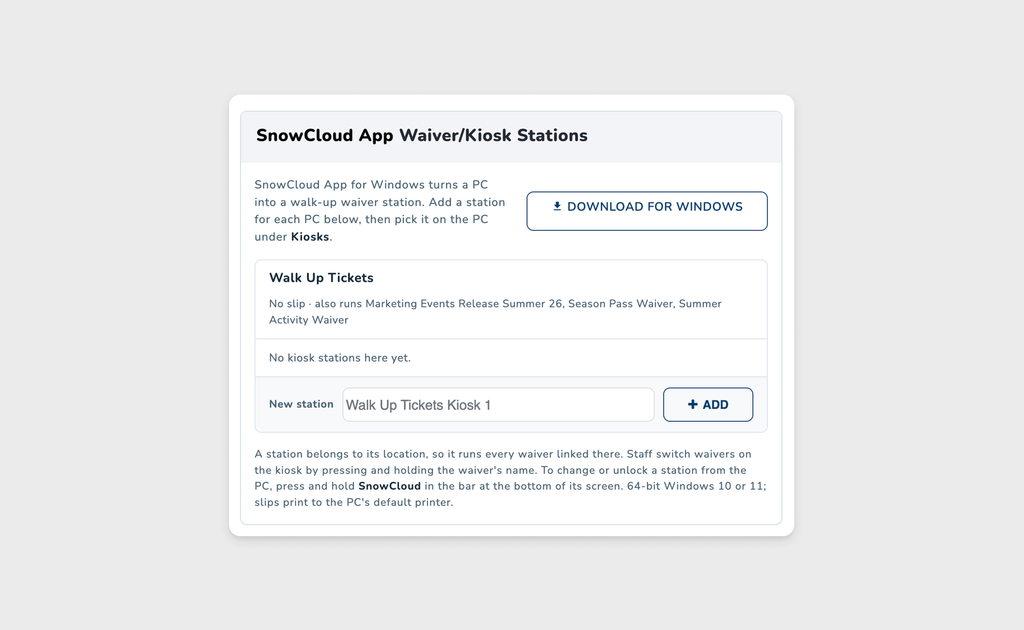
- Self-Service Rental Stations: A dedicated rental kiosk experience allows guests to scan, complete and sign waivers, and receive a printed rental slip at a designated station. Operators can select the rental slip printed by each location’s kiosks and access station downloads from the refreshed Risk > Waivers page.
- Rental Parts Management: Improved multi-select controls, consolidated inventory columns, and clearer color labels make equipment setup and management more intuitive.
Inventory
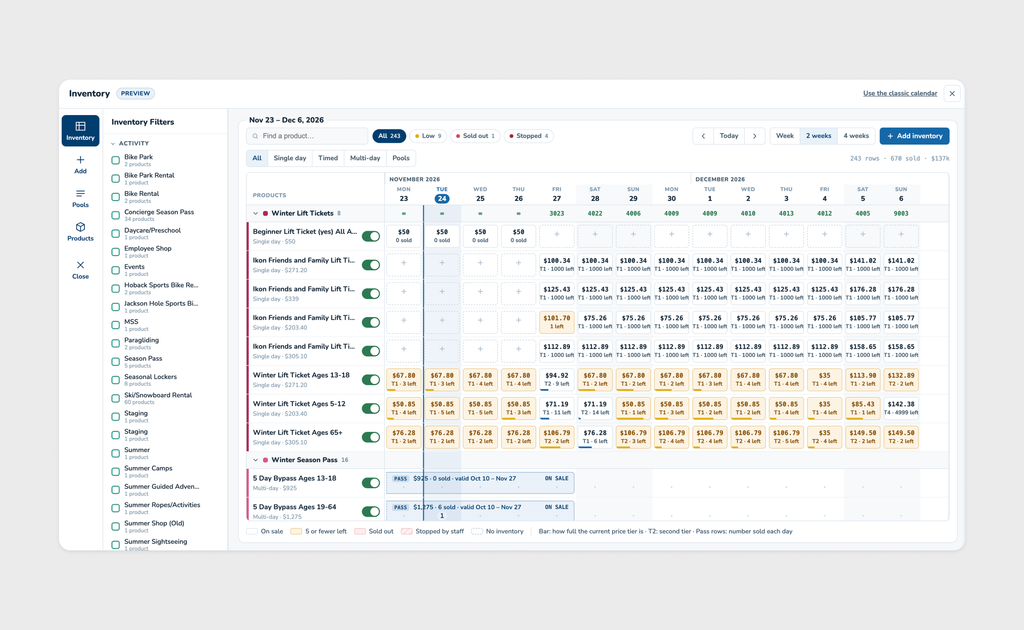
- Inventory Grid (Preview): A new grid view brings products, pricing, sold quantities, remaining availability, and shared inventory pools into one view by date. Staff can filter the board, inspect sales and guest details, and update inventory across multiple products and dates with a preview before saving. The grid is available alongside the existing Inventory Calendar.
- Inventory Setup & Pools: Inventory modes now apply only to packages, lessons, and rentals. Inventory pools accept a quantity of zero when nothing is sold or held and prevent reductions below existing sales and holds, with a clear message explaining the limit.
Access Control & Integrations
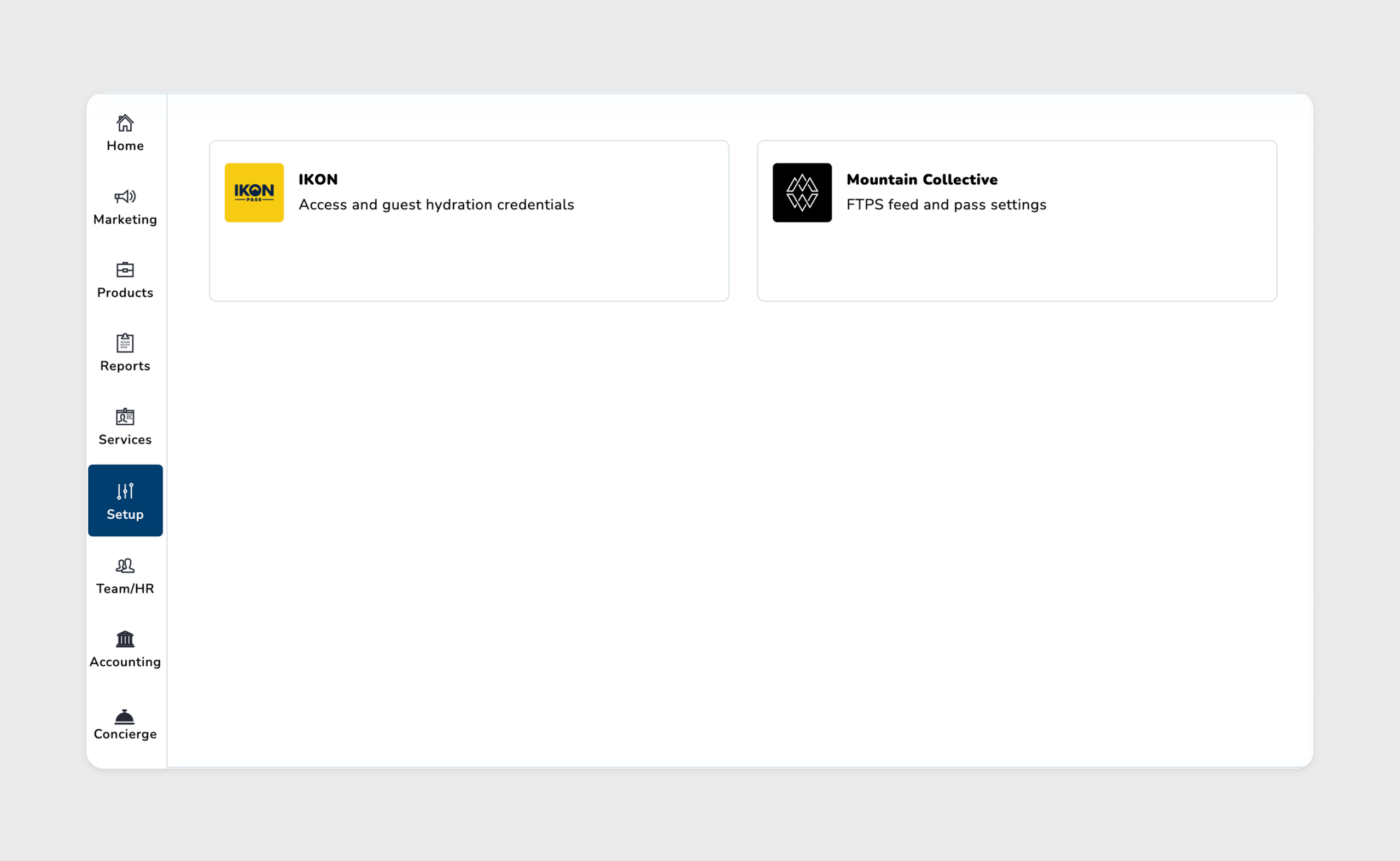
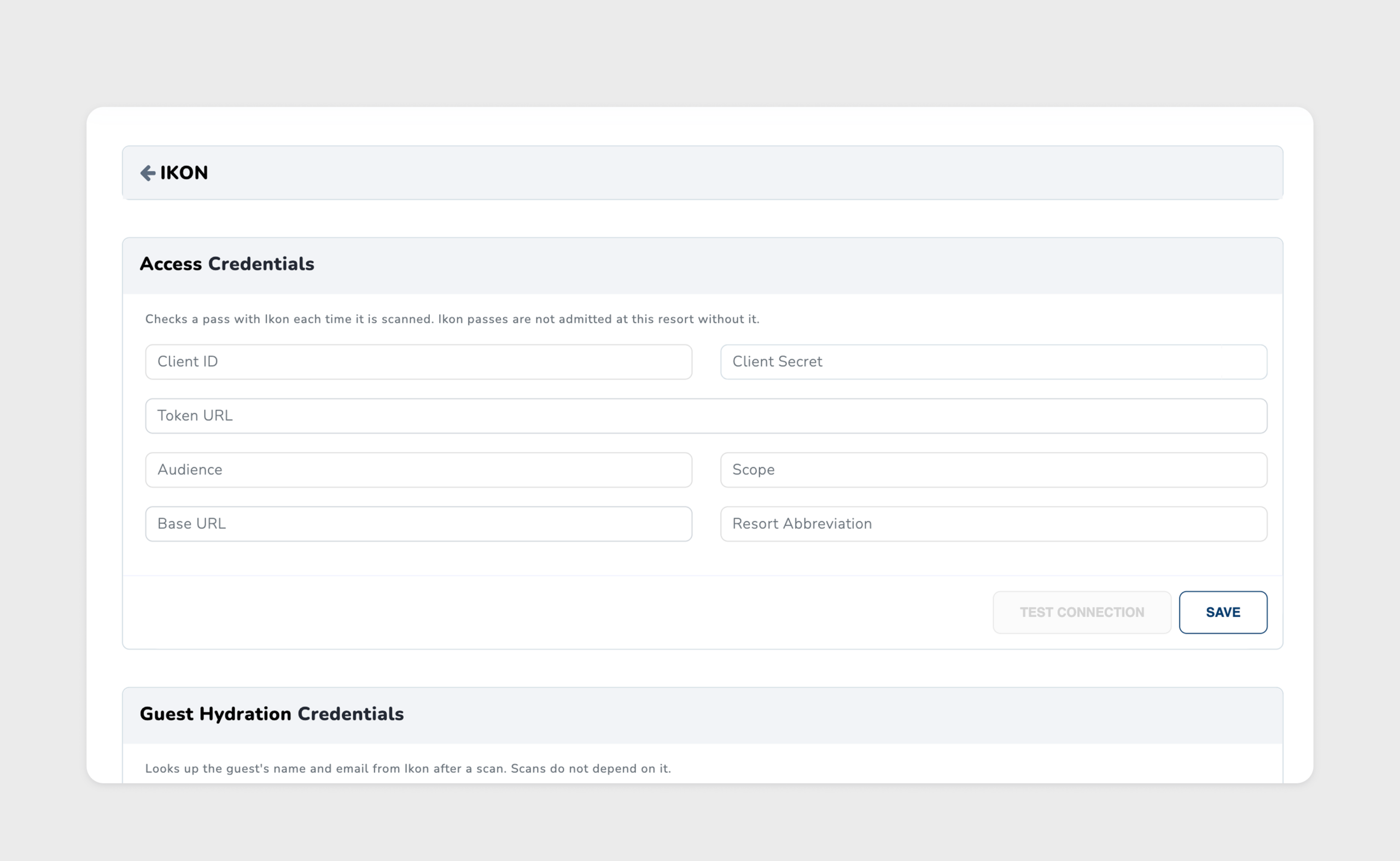
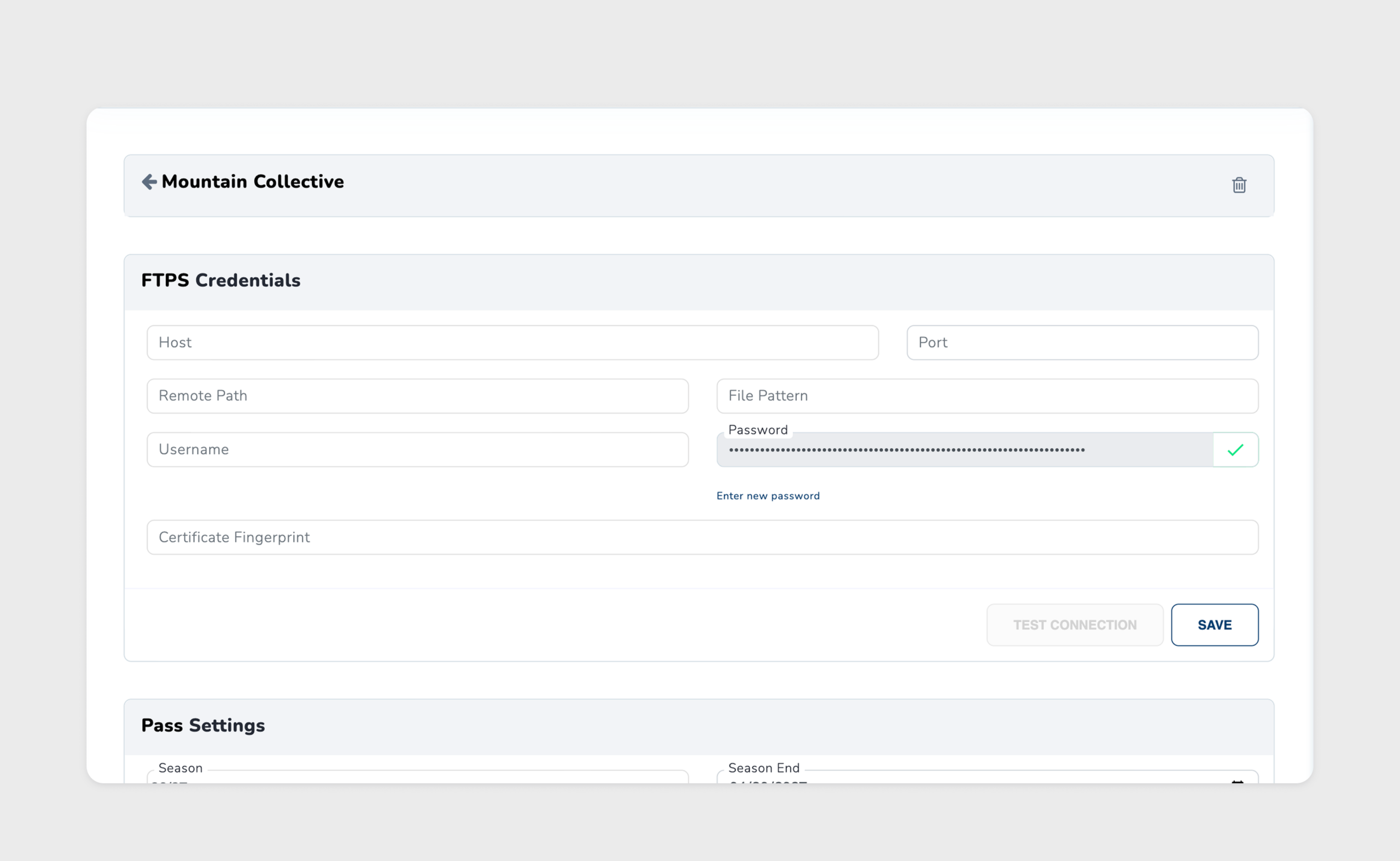
- Mountain Collective Integration: SnowCloud introduces support for linking Mountain Collective passholder accounts, validating access eligibility, and managing partner products. At participating resorts, this connects the online guest experience with lift access, supporting eligible passholders using their existing pass media.
- Partner Pass Management: Ikon Pass and Mountain Collective integrations share a consolidated configuration experience, with a dedicated view for staff to manage external guests.
- Guest Review Hotlist: The verification hotlist now groups records by the review needed and shows which products have been cleared. Review details are also available in Services > Guests.
Accounting & Guest Management
- Folios & House Accounts: Both pages have been refreshed to match the updated Portal experience, with new filters for navigating account records. Folios now display associated payments, giving staff greater visibility into payment activity.
- Partial House Account Payments: Staff can record external payments for any amount up to the outstanding balance directly from the House Account page. Each payment reduces the balance by the amount received, with the remainder staying outstanding. For group accounts, staff select the group administrator associated with the payment.
- House Account Activity & Exports: Account activity now shows a running balance. Detailed Excel exports include transaction types, account and group details, and links to available receipts. Charge rows identify the guest who paid using the House Account, while funds added, settlements, and refunds appear without guest attribution.
- House Account Settlement Voids: Corrected how cash payments used to settle a House Account balance are voided.
- Guest Sales History: Redesigned sale and guest information cards surface more details directly within the guest’s sales history, including sale dates, totals, items, and payment information.
- Refund Permissions: Full product refunds now revoke the associated product unless the employee has permission to refund without revoking it. Refund records also display the reason, notes, and staff member who processed the refund.
- Guest Email History: Removed an unsupported View link for CRM emails so staff no longer encounter an unavailable preview.
- CRM Reliability: Improved automated message processing so an error with one trigger no longer interrupts other eligible messages.
Group Sales
- Flexible Group Pricing: Group offers can combine discounted products with products sold at their standard rack rate. Select Rack Rate for full-price products or apply a percentage discount to individual items. For example, an offer can include discounted lift tickets alongside full-price rentals or lessons.
- Multi-Day Rentals in Group Offers: Operators can now add multi-day rental products and packages to a group offer before configuring percentage-based pricing, resolving an issue that prevented these products from being added.
- Group Offer Validation: Clearer messages identify the product that needs attention and explain missing or invalid dates, day selections, duration, or discount settings. Pricing errors clear when the rate option or discount is updated.
Ski School
- Pro Board Reliability: Fixed an issue that prevented live updates from reaching connected boards. The board also refreshes and provides feedback when a save or unassign action makes no changes.
SnowCloud Operator App
Rentals
- Equipment Setup: DIN settings are calculated when sufficient information is available and retained with the rental. Boot sole length replaces the previous length-range field, and staff can access rental history.
- Multiple Rentals per Guest: Staff can select more than one rental for a guest to use on the same day. When rentals include the same equipment type, the app asks whether to switch rentals or use both. Deselecting a rental checks in its equipment.
- Equipment Swaps & Check-In: Updated swap screens clearly distinguish returning and outgoing equipment, show checkout notes with the outgoing item, and let staff record equipment condition. Swap and check-in condition selectors now include a No issues option. Additional fixes improve swaps when creating a rental and handling unsuccessful swaps.
- Rental Workflow Improvements: Recommended equipment is streamlined around available stock, individual item colors are displayed, and staff can scan guest media directly. Rental forms and form history are organized within the forms area.
Access Control
- Upgrade Desks: Access and rental desks now use consistent shop and activity selection. The Scan app also has refreshed upgrade and add-on screens and navigation.
- Guest Review Alerts: Guest, sale, and scan screens now surface items that need review, making outstanding requirements easier for staff to spot.
Point of Sale
- Gift Card Issuance: A redesigned gift card issuance screen guides staff through scanning and issuing multiple gift cards from a single sale, with clear status indicators for issued and unissued cards. Staff can also access gift card issuance from the sale detail screen.
- Credit Checkout & Tips: Improved tipping controls update custom tip amounts as they are entered and provide clearer feedback when a tip exceeds the available balance.
- Gift Card & House Account Tipping: When tipping is enabled, guests see the tip screen even when a gift card or House Account covers the purchase. When a tip leaves an amount due on a gift card purchase, staff can collect the balance with another payment method. Updated House Account messages show the remaining amount available.
- Tab Checkout: When a tab cannot be priced, checkout stops and prompts staff to remove the last items added and try again, preventing an unpriced tab from proceeding as a $0 sale.
- Payment Devices: Improved device handling and clearer messaging when Tap to Pay is unavailable. Reader selection and registration screens have been refreshed, and S700 setup now reports registration failures and resets the form after a successful registration.
Ski School
- Lesson Bookings & Check-In: Lesson booking lines now show every participant. Refreshed instructor and lesson check-in screens simplify the language and actions presented to staff when checking in guests.
SnowCloud Shop
Improvements
- Partner Account Linking: Guests can link supported external passholder accounts to their SnowCloud profiles as part of the updated partner integration experience.
- Waiver Messaging: Guests receive clearer instructions to refresh and try again if a waiver cannot be loaded during checkout or from their outstanding tasks.
- Guest Assignment at Checkout: Guests are prompted to save newly added guest details before completing a purchase. The message identifies the product that needs attention, helping ensure each purchase that requires a guest is assigned correctly.
- Product Selection: Switching between package options now refreshes the calendar with the selected package’s availability and prices, resolving an issue that could leave the calendar blank.
- Product Calendar Navigation: Product calendars now consistently open to the next month with availability when the current month has no available dates. Manual month navigation stays on the guest’s selected month.
- Add-On Quantities & Totals: Cart add-on quantities and totals now reflect the selected guests correctly, resolving an issue that could multiply add-ons assigned to individual guests more than once.
- Group Administration: Removed the unused Publish Group toggle from group settings to simplify the configuration experience.
- Group Member Imports: Group member imports now accept CSV files only. A new Email each member an invitation option lets admins choose whether to send invitations during import. Invitations are off by default for self-service groups and on for other groups.
