This release focuses on major new features and enhancements to retail and accounting configuration, along with a broad set of operator and checkout changes. It adds new controls for tax, GL, product validation, and reporting, while improving reliability across SnowCloud Portal, SnowCloud Shop, and SnowCloud Operator App. Our CRM module also has some exciting changes and new features.
SnowCloud Portal
- Adds ability to have location-based tax configuration and structures with related reporting.
- Adds configurable merchant statement descriptors by location for POS purchases, helping guests recognize charges on receipts and card statements.
- Adds new GL features:
- Discount contra-revenue GL mapping. Discounts can now post separately from gross revenue in accounting exports and reports.
- Automated retail GL and COGS posting using FIFO. Inventory purchases, transfers, adjustments, and sales generate a more robust accounting trail.
- Retail inventory transfer accounting through a transit hold step. Transfers can post to a transit GL before being received into destination inventory.
- Receiving workflow allowing staff to log received inventory against purchase orders or invoices, update stock levels, and note discrepancies.
- Adds support for validation-required products enabling file uploads at checkout and review in the portal hotlist workflow.
- Adds configurable text prompts for custom requirements. Prompts can be required or optional.
- Adds ability to tag retail items to drive targeted discounts in the Promo Calendar.
- Adds PO header details and GL trail support in retail purchasing workflows.
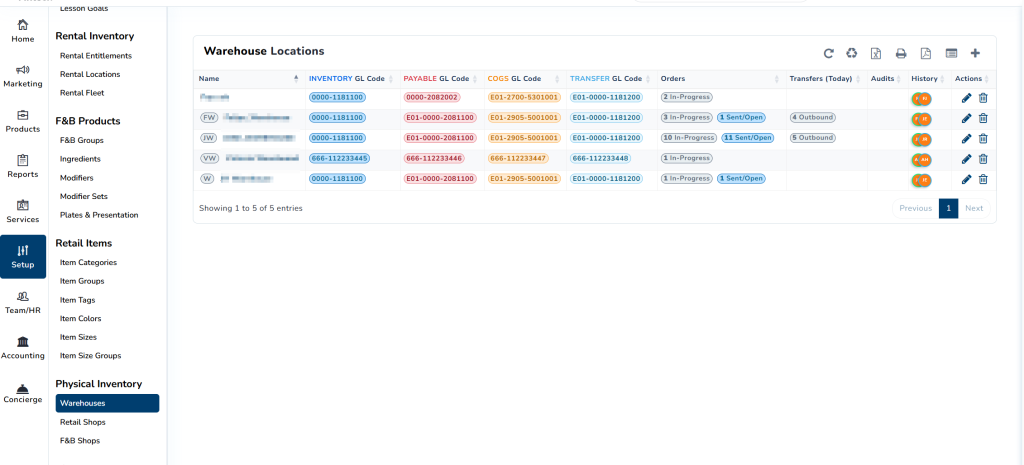
- Improved retail item setup and import flows with expanded category, LOB, size-group, and variation handling.
- Adds two new accounting reports:
- Accounting Cashiers Sales Report
- Accounting Shop Payments Report.
- SKU numbers are now automatically generated for new retail items.
- User interface improvements
- Redesigned retail setup pages for categories, groups, tags, colors, sizes, and size groups.
- Line of Business and related accounting configuration pages have clearer labels.
- Add designations to indicate seasonal or carryover items
- Performance enhancements to display large amounts of data quickly.
- Adds support for recording serial-number information on eligible retail sales to display in sales detail.
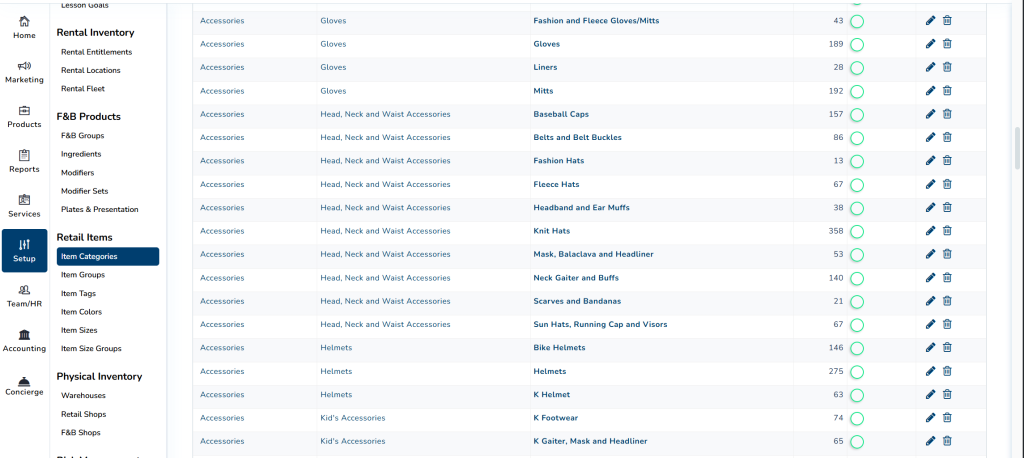
- Adds support for warehouse and location management, with ability to define stock locations, transfer items, COGS, and view on-hand quantities with all movements logged.
- Visit reporting now counts total uses by product type and displays plan-product badges.
SnowCloud Shop
- Adds age-validation options that can check eligibility against purchase date, product date, or a configured age-as-of date for seasonal and school-year-based programs.
- Adds support for gift card and store credit checkout flows with appropriate fee handling for those payment types.
- Improves upsell and cross-sell behavior so upgrades can use inventory-based pricing and availability instead of defaulting to rack-rate behavior.
- Improves discounted sale handling across sales channels.
- Improves custom requirement upload behavior for supported scenarios, including required and optional prompts, hotlist visibility, and review actions.
- Adds ability to accept coupons in POS.
We’d love to show you the future of resort operations.
SnowCloud Operator App
- Adds special instructions for F&B POS items so staff can capture notes on orders.
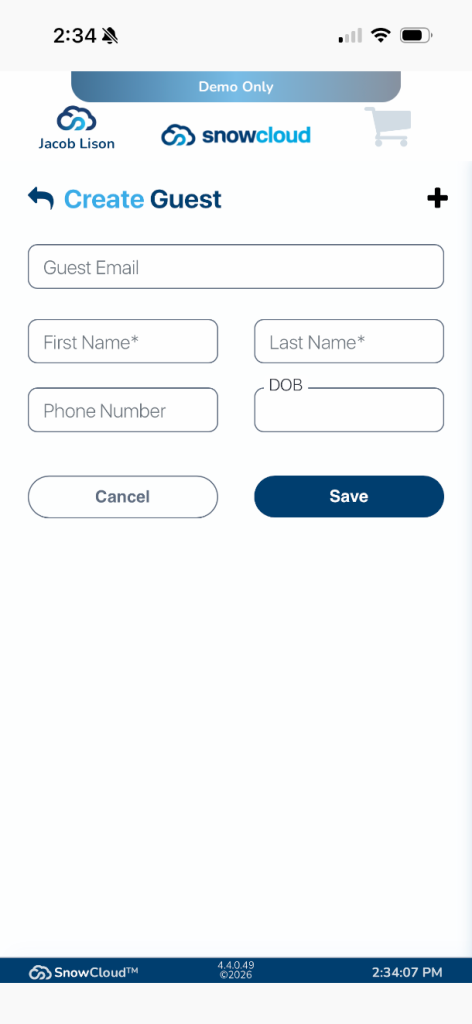
- Adds the ability to create a guest directly in the Operator App during a sale in the POS menu.
- POS Menu > Guest Lookup > “+” Button
- KDS App improvements:
- Better installation persistence in the Windows KDS app. It now reopens to the locked screen and remains signed in across restarts.
- KDS locking and unlock flows changed so stations return to the intended KDS state.
- Performance improvements when applying discounts and closing checks on large tabs.
- Adds improved ability to change or reassign tables with transferred checks remaining editable.
- Adds display of table and guest names in Open Tab
CRM
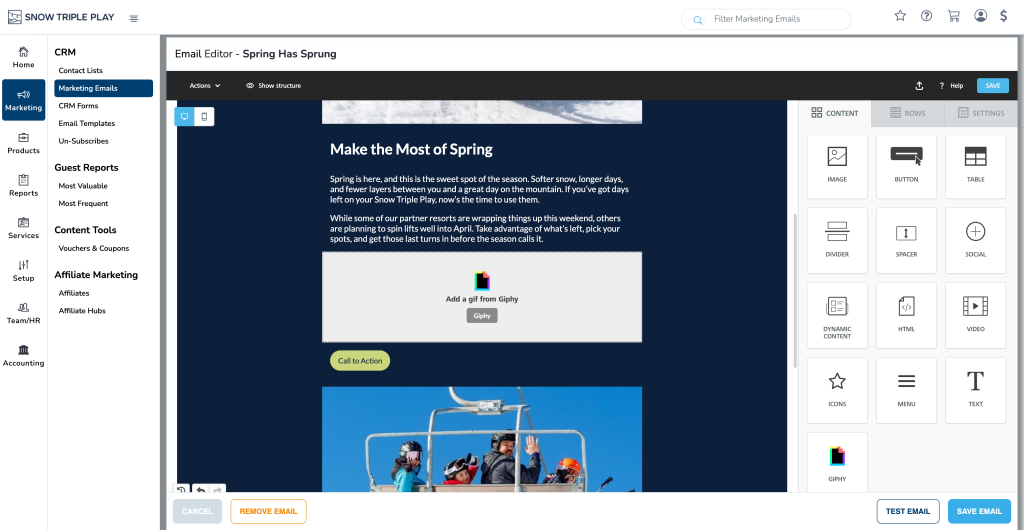
We’ve made a series of updates to the SnowCloud CRM email editor focused on making it faster to build, easier to reuse, and more flexible to design. These enhancements give you more control over how your emails look and behave, without adding complexity to your workflow.
New Features
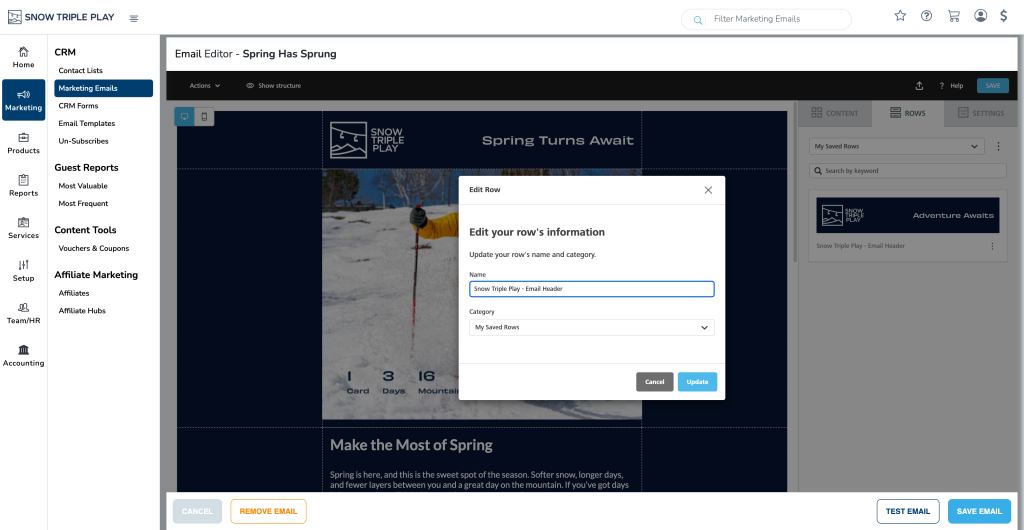
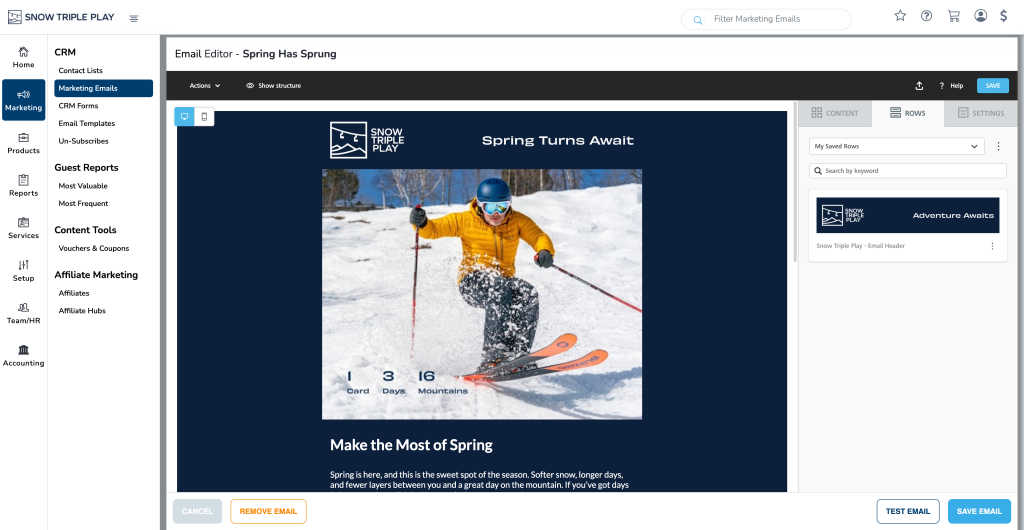
Saved Rows & Patterns in Email Editor
You can now save rows within the email editor for reuse across campaigns. Saved rows can be organized into categories and keywords, making it easy to build a library of reusable components like headers, footers, and promotional sections. This helps streamline email creation and ensures consistency across campaigns.
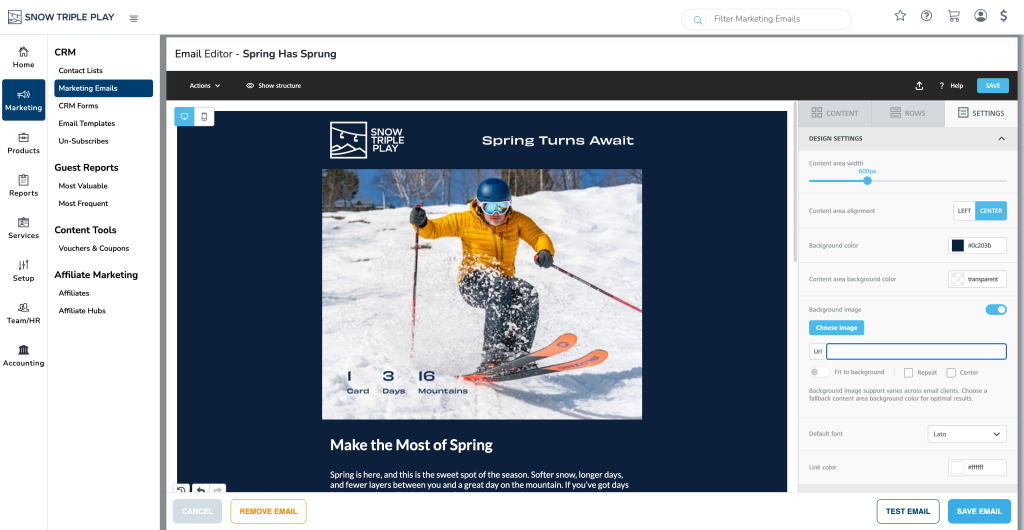
Full-Width Background Images
Emails now support full-width background images, allowing for more visually dynamic layouts. This gives you greater flexibility in designing hero sections and branded content that extends across the entire width of the email.
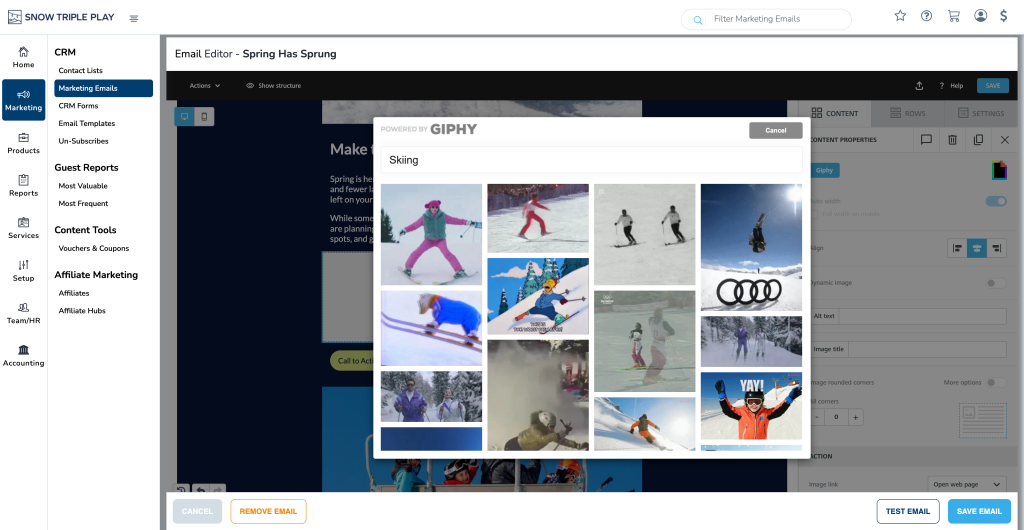
Giphy Integration
You can now search and insert GIFs directly within the email editor using Giphy. A built-in modal allows you to browse and search for GIFs without leaving the editor, then drop them directly into your email.