

This is the largest release in SnowCloud history, introducing major new capabilities that expand how resorts sell, price, and manage the guest experience. House Accounts add powerful new purchasing flexibility, while Multi-Day Products and Dynamic Pricing bring configurable durations, advance-purchase pricing, quantity-based pricing, and multi-day discounts for tickets, rentals, and lessons.
The release also includes transferable coupons, a redesigned checkout experience, expanded concierge inventory tools, and significant reliability improvements across F&B and payment processing.
Features will roll out to customers in phases as part of this technology preview.
SnowCloud Shop
The online shop received a major set of usability, performance, and reliability enhancements. Highlights include transferrable coupons, a refreshed checkout layout, improved cart behavior, and a Google Analytics e-commerce analytics integration.
New Features
- Transferrable Coupons: Guests can now share eligible coupons (such as Season Pass Buddy Passes) with friends via email or a shareable link. The original owner retains visibility of the coupon status (sent, retrieved, used) and can revoke an unused transfer.
- Google Tag Manager / Google Analytics E-commerce Events: Adds a complete set of standard Google Analytics e-commerce data layer events for marketing attribution and conversion tracking. Available to all clients with Google Tag Manager configured.
Multi-Day Products and Dynamic Pricing Capabilities
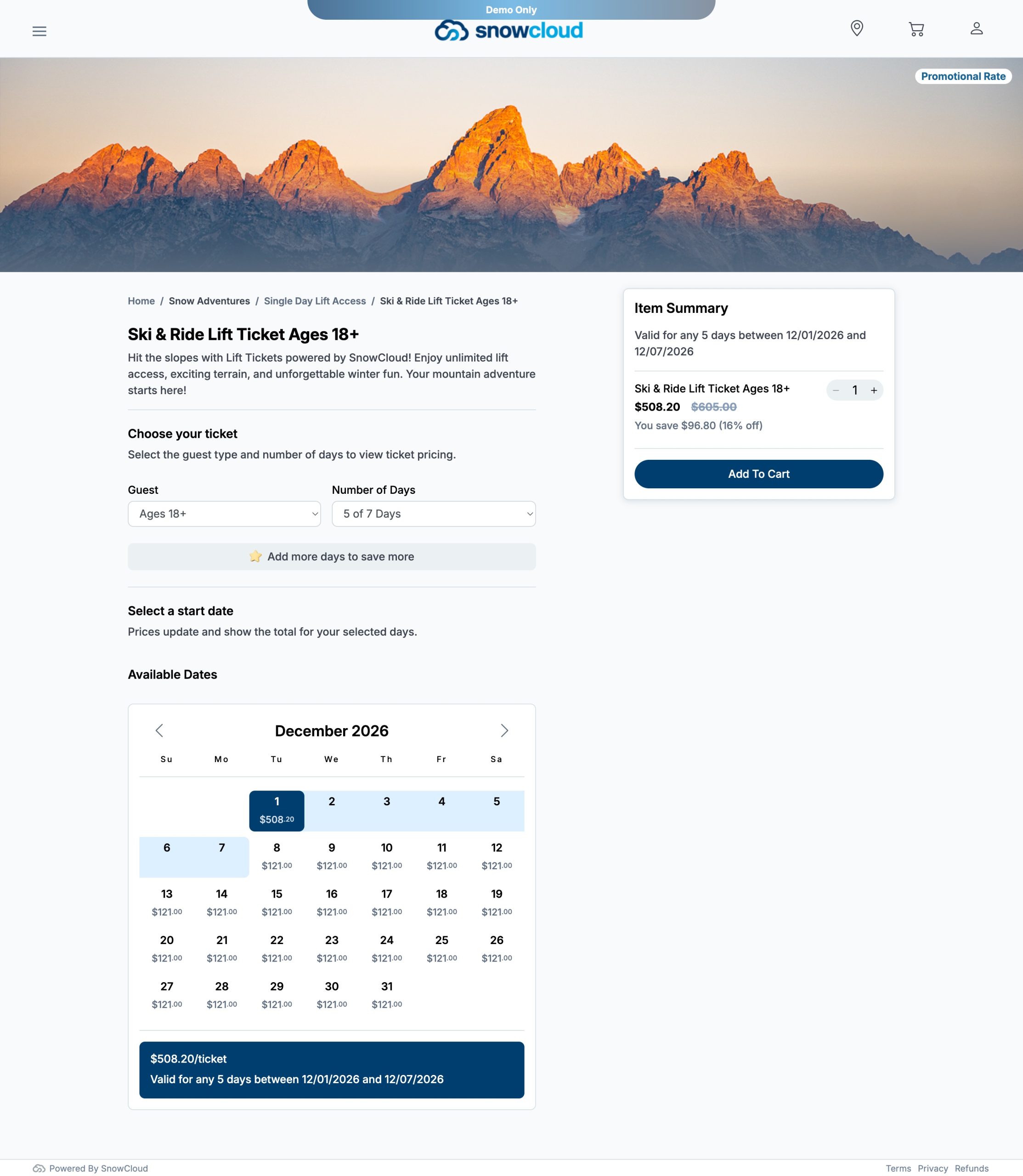
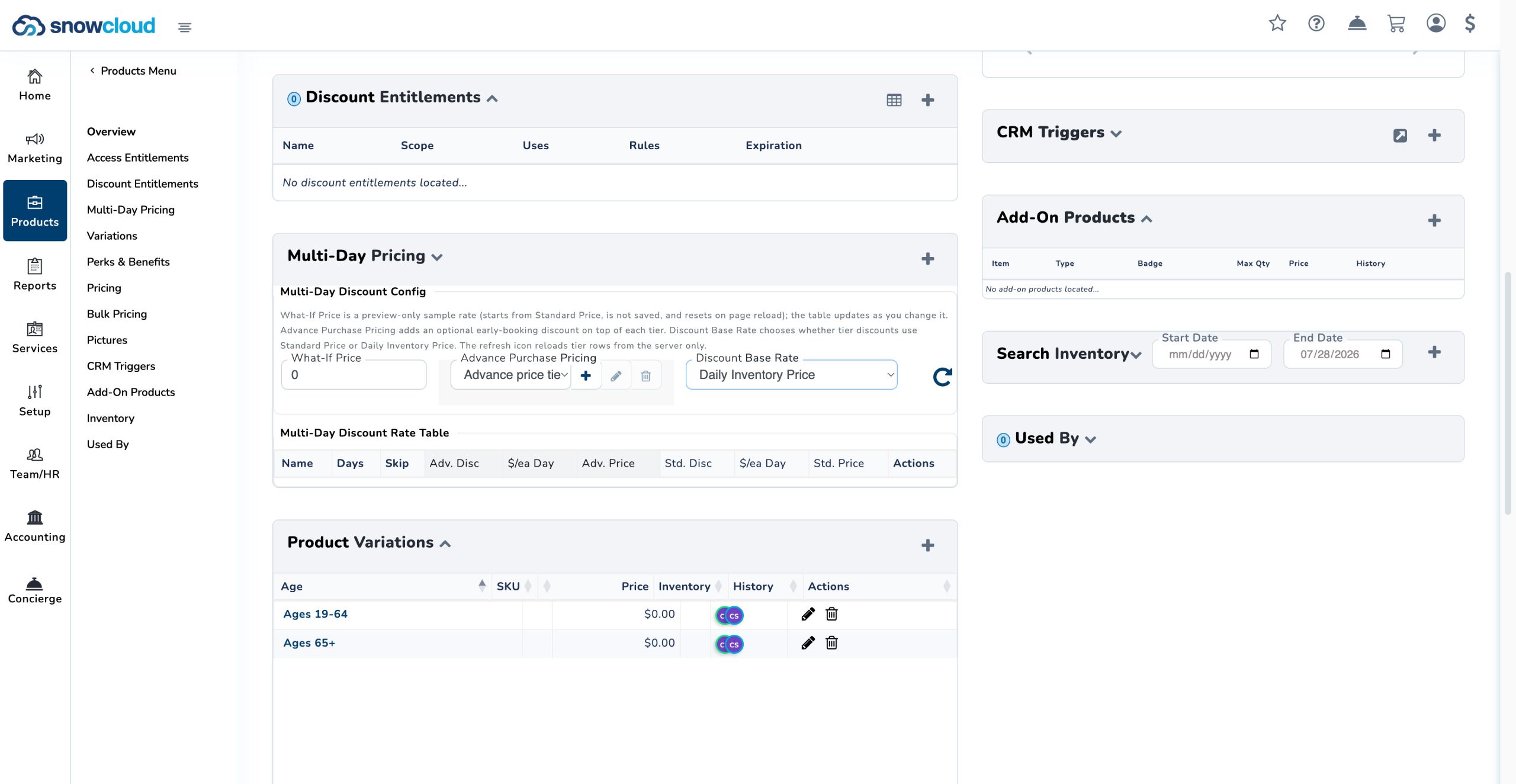
SnowCloud now supports Multi-Day Products for Lift Tickets, Rentals, and Lessons, providing resorts with flexible tools to configure product duration and apply dynamic pricing strategies.
Multi-Day Products can be configured with several pricing and inventory management capabilities:
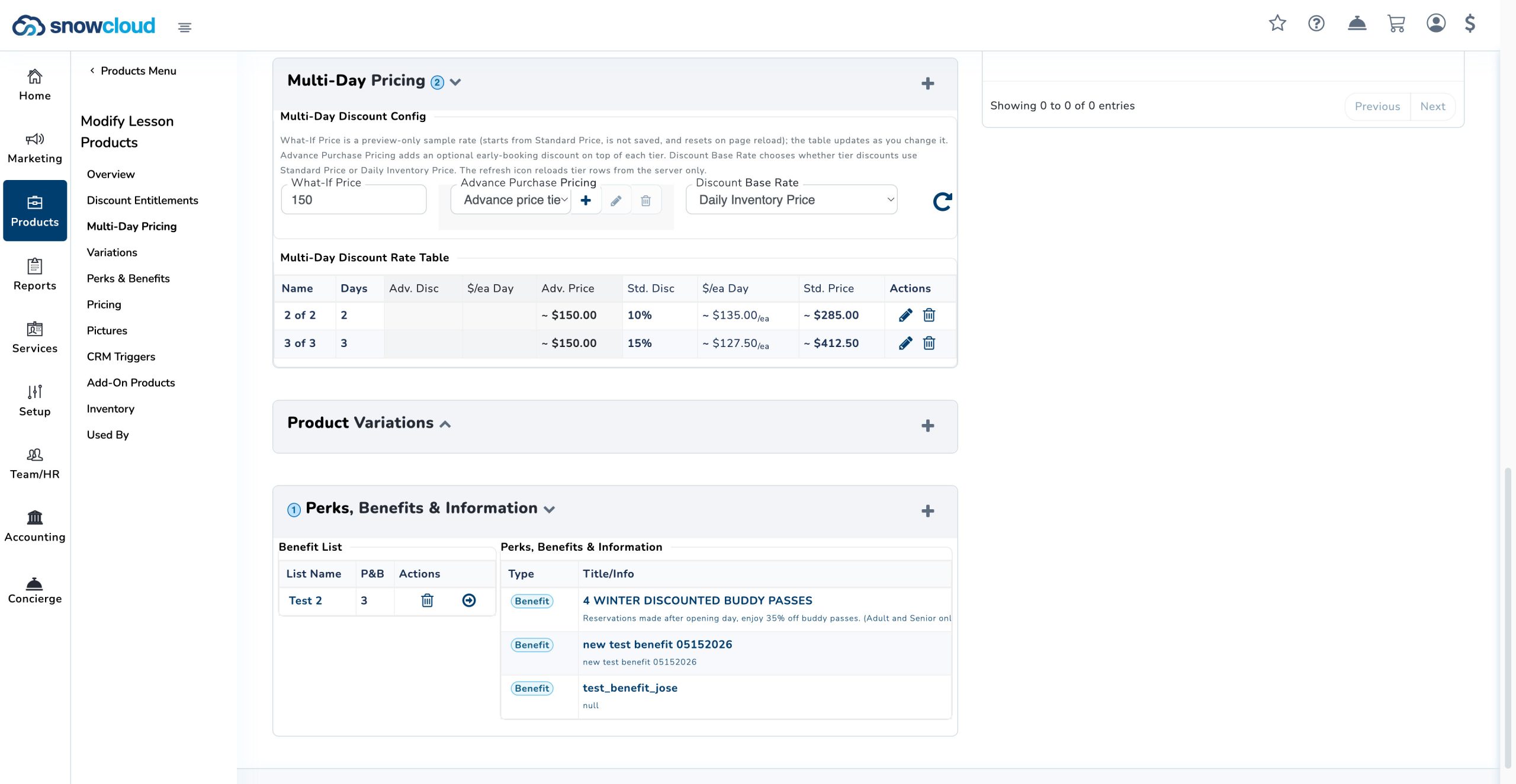
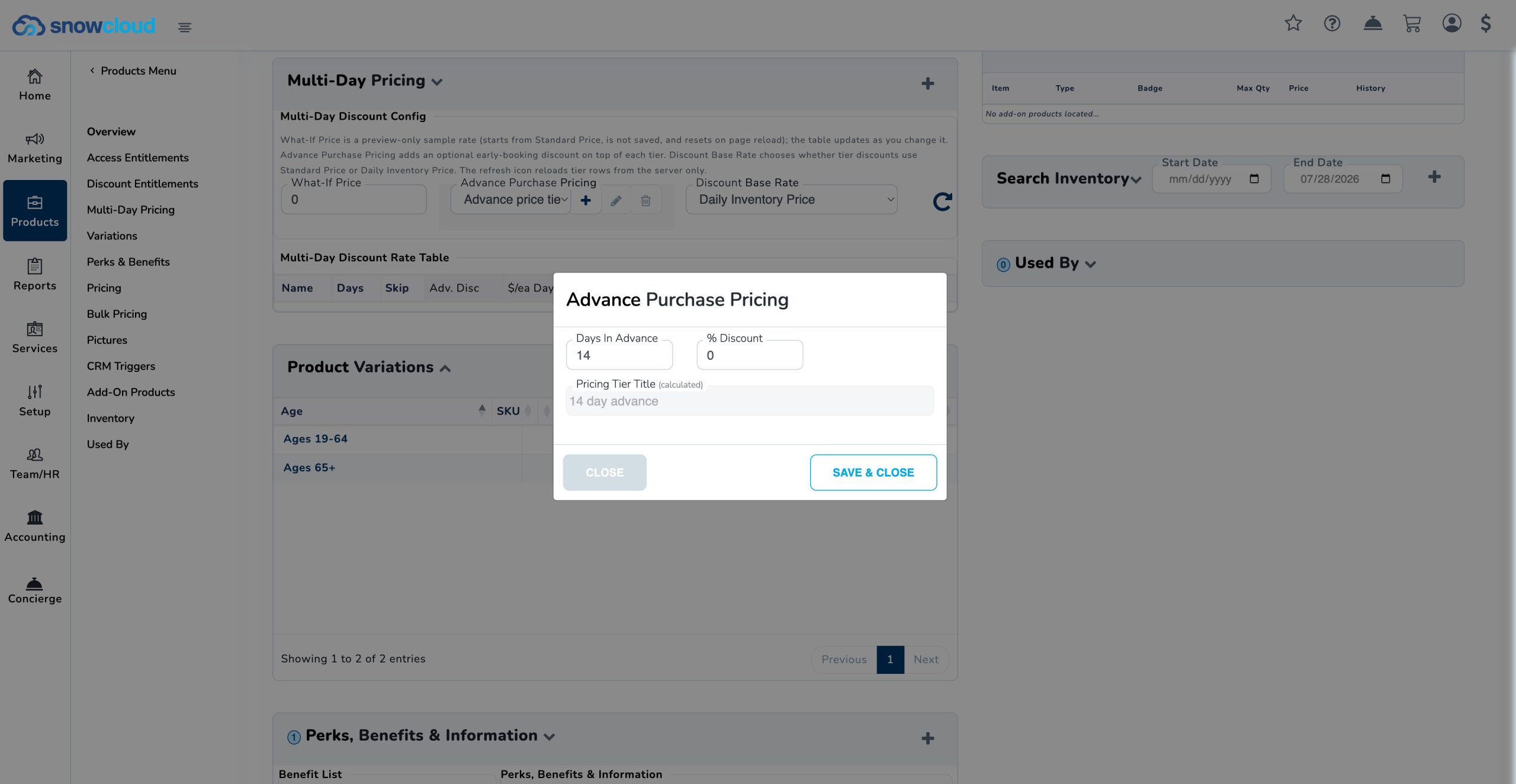
- Advance Purchase Pricing: Create pricing tiers based on how far in advance a guest purchases, supporting early-purchase incentives and flexible revenue management strategies.
- Quantity Sold Threshold Pricing: Automatically adjust pricing as defined sales-volume thresholds are reached.
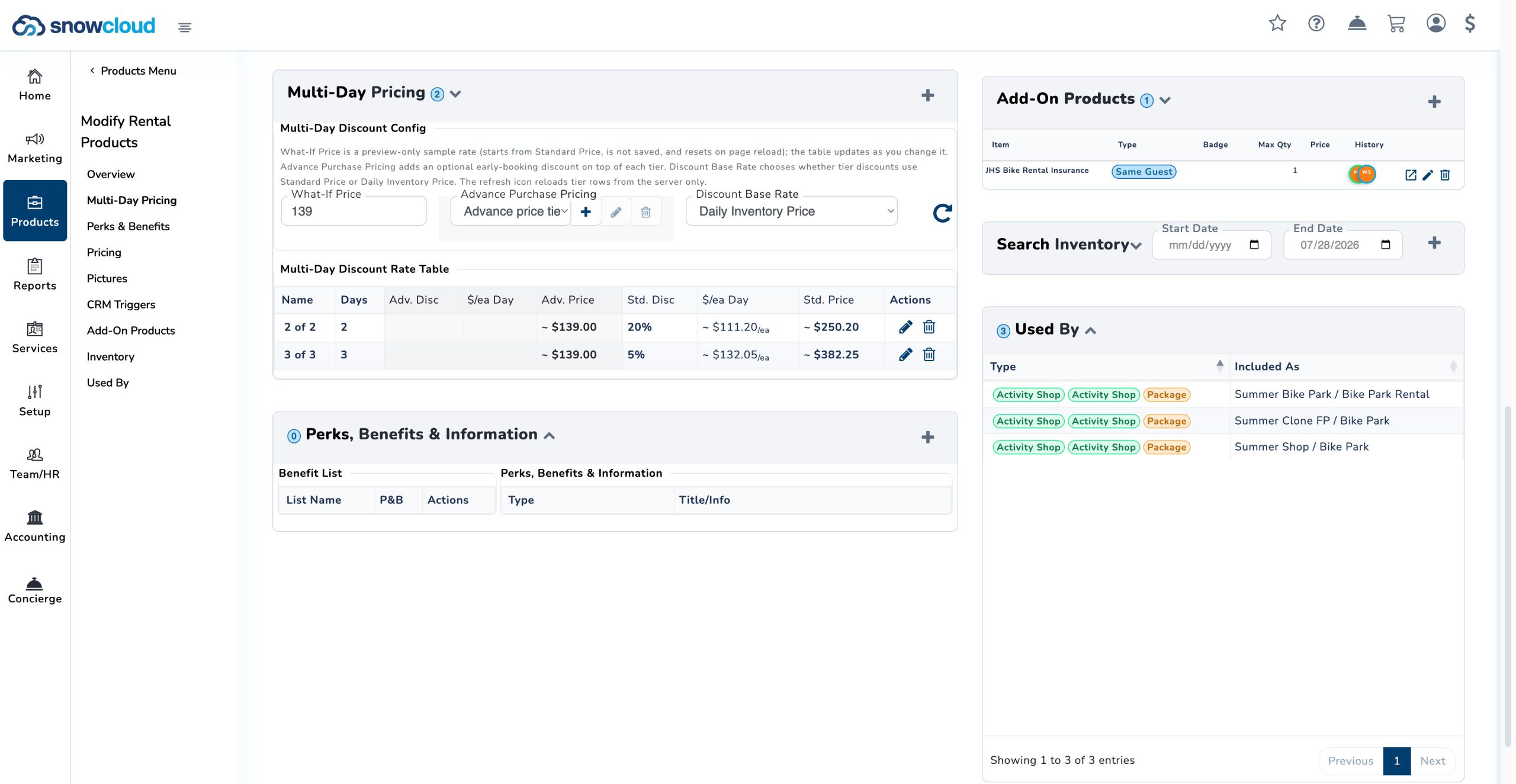
- Multi-Day Dynamic Discounts: Apply configurable discounts based on the number of product days purchased.
- Multi-Day Lift Tickets and Skip Days: Configure access products with day tiers and optional skip days, allowing products to remain valid across a defined date range.
- Multi-Day Lessons and Rentals: Configure Lesson and Rental products using day-based pricing tiers. Skip-day functionality is excluded from these product types to support continuous-day fulfillment workflows.
Product administrators can add, edit, and remove pricing tiers as business needs change. These capabilities provide greater control over product packaging, purchasing incentives, and revenue optimization across SnowCloud’s core product types.
Improvements
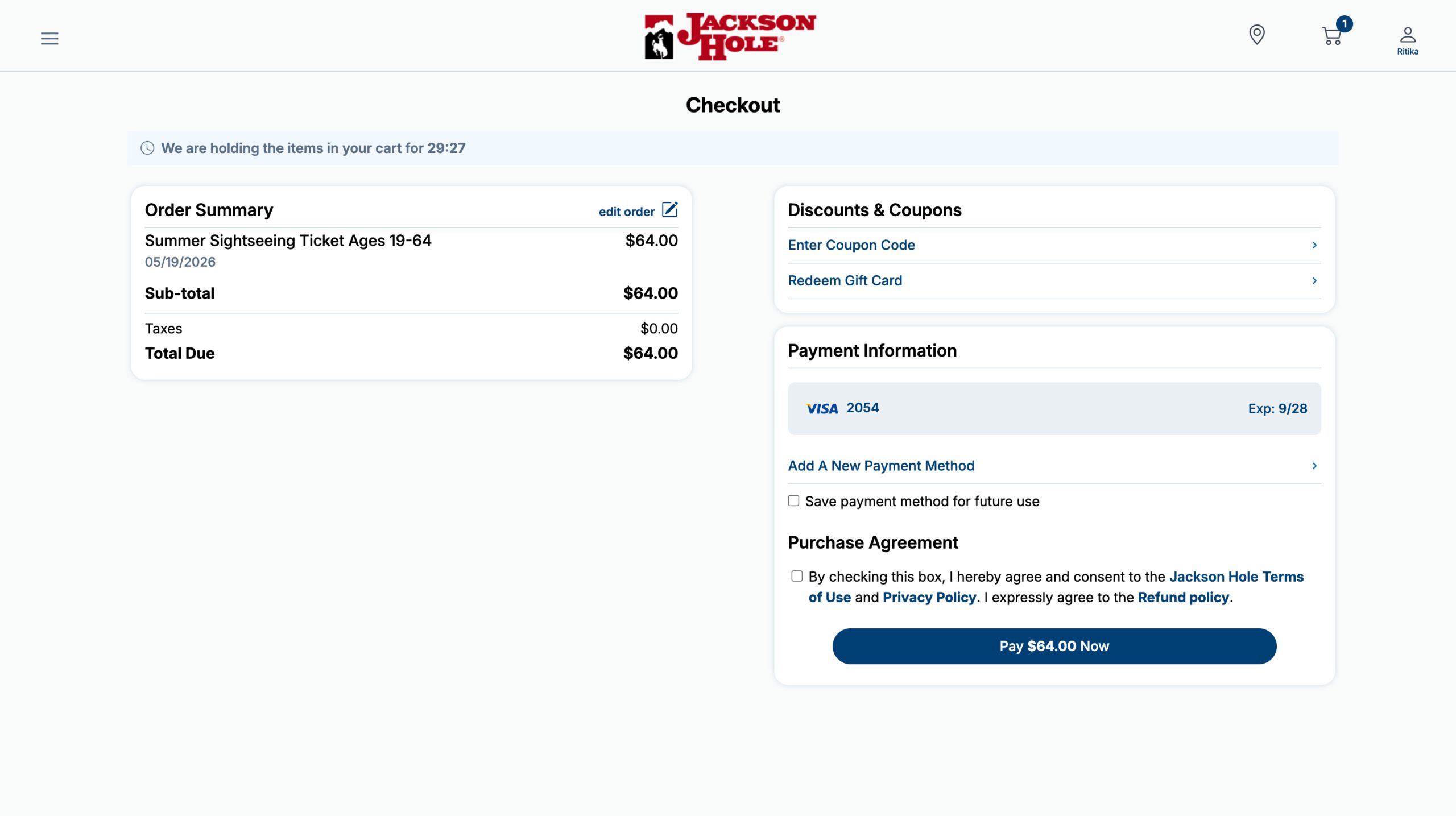
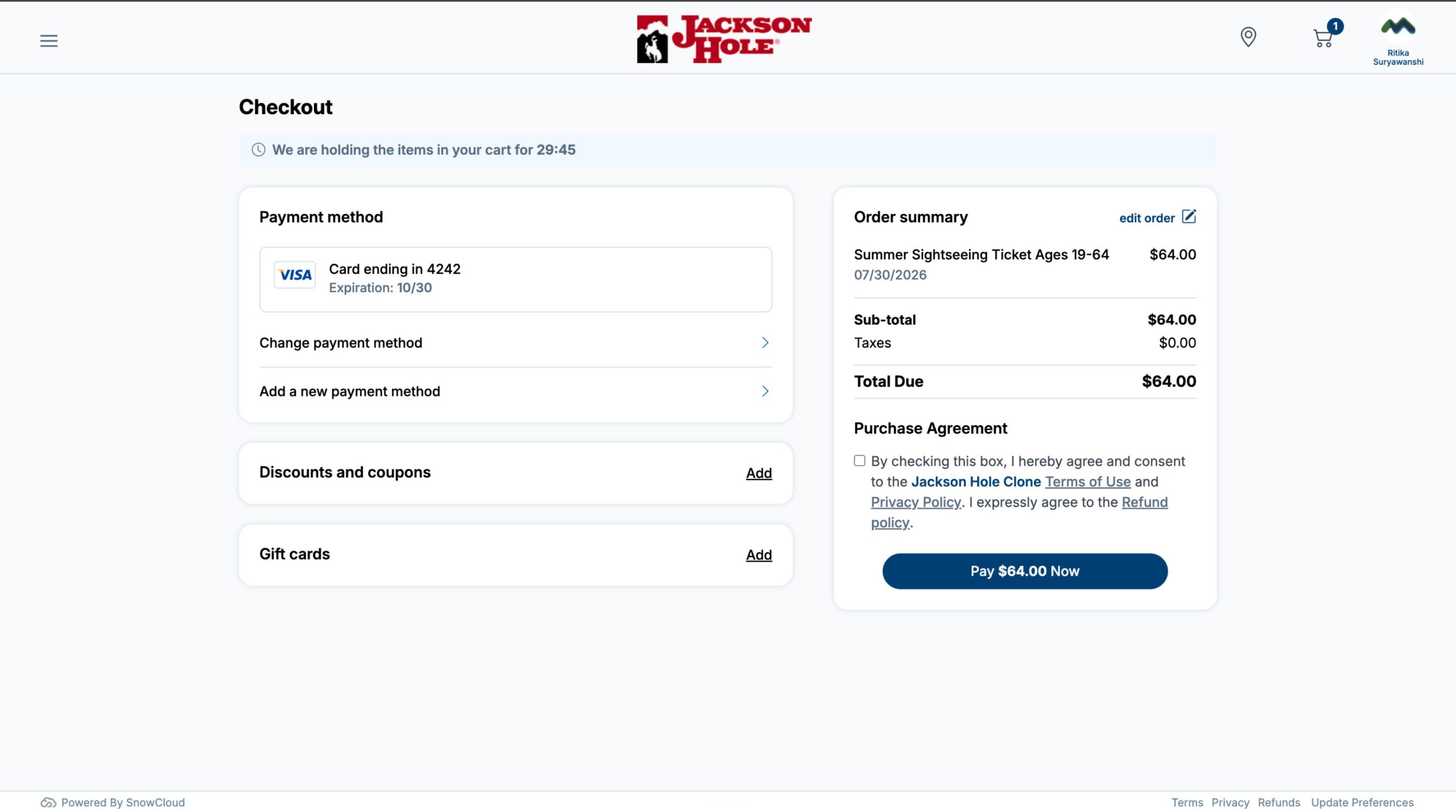
- Checkout Page Redesign: The checkout flow has a new layout with improved organization of payment methods, gift cards, coupons, tips, and order editing. Works consistently across desktop and mobile viewports.
- Cart Enhancements: The mini-cart flyout now displays the selected date, time, and rental details (such as bike size) alongside item names, giving guests a complete order summary before navigating to full cart view.
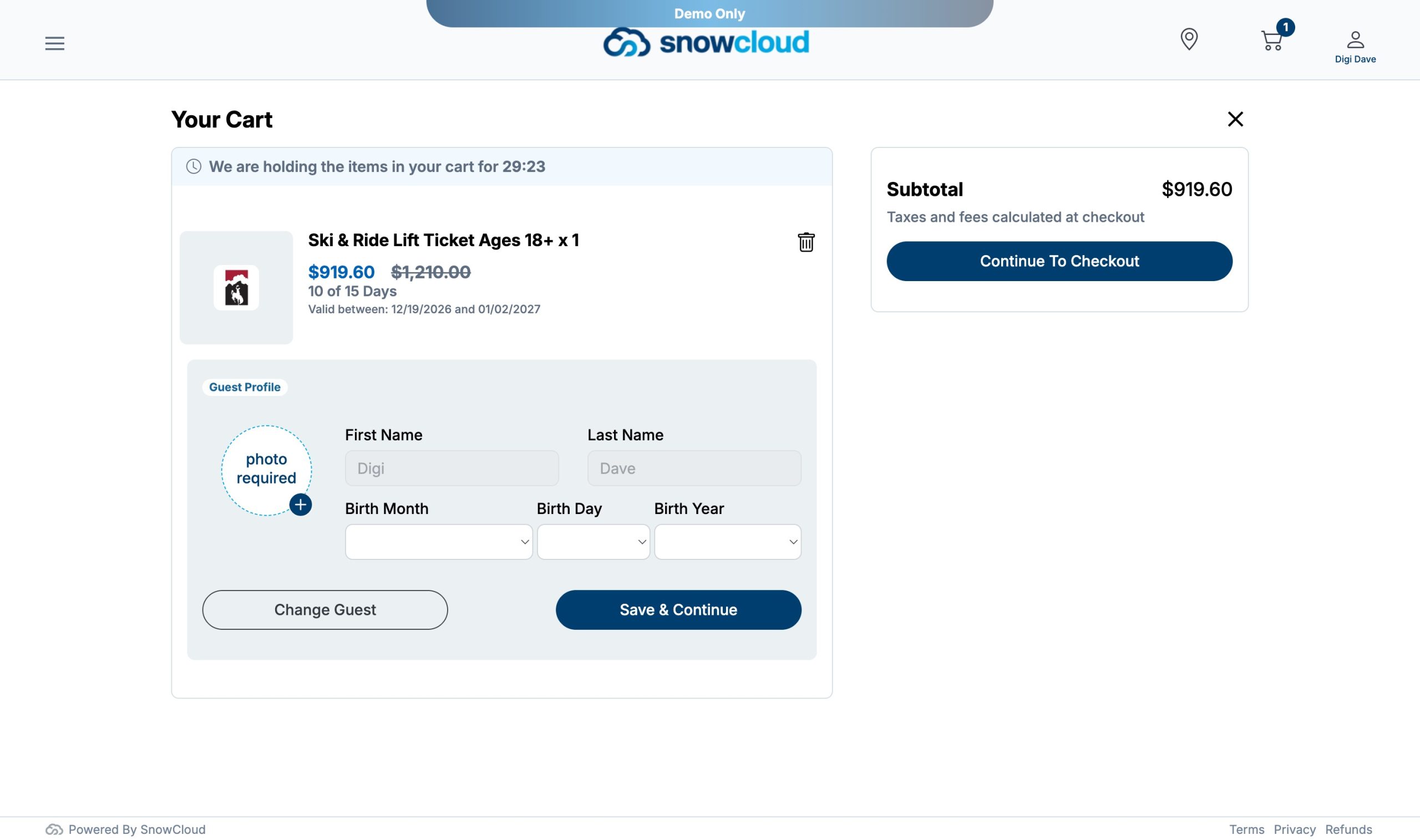
- Promotional Pricing Display: Cart items with promotional pricing show the discounted price with the original rack rate crossed out, matching the product page presentation.
- F&B Online Ordering (Day-of Only): F&B reservation ordering loads time slots for today only, preventing accidental future-date reservations until full advance-scheduling support is available. If the shop is closed today, a clear “no reservations available” message appears.
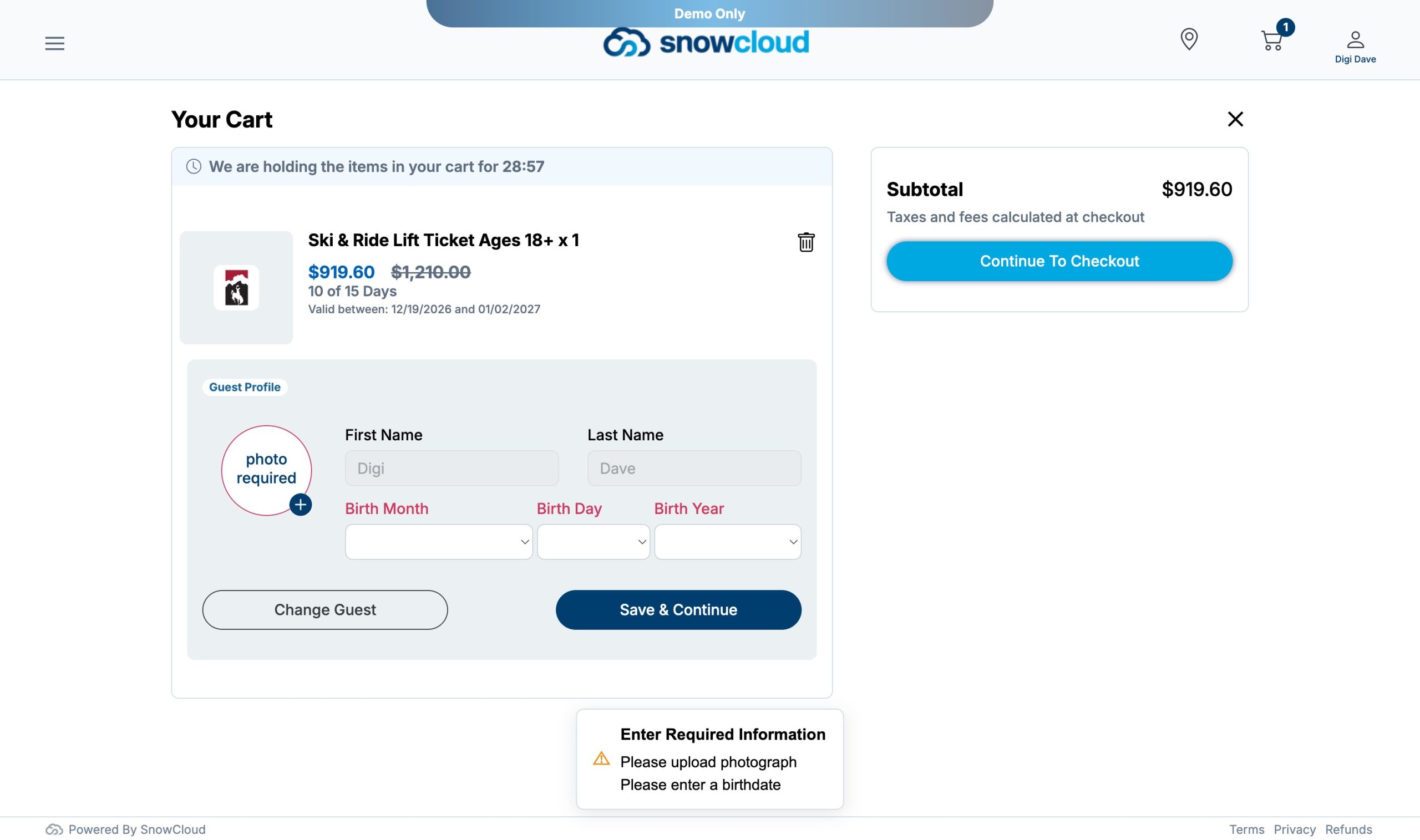
- Profile Picture Conditional Display: The profile photo upload prompt in cart guest assignment now only appears as “photo required” when the product requires a photo. Non-required products now show “photo optional” instead.
- Guest Card Navigation: The entire guest card on the Friends & Family page is now clickable for the logged-in user and family members, improving navigation to profile editing. Non-clickable cards (pending, non-family) no longer show a pointer cursor.
- Group Breadcrumb Navigation: All group admin and group shop pages now display a functional breadcrumb trail. Users can click any level to navigate back through the group hierarchy.
- Activity Header Images: Shop activity pages where shop items are posted now display the configured activity image as the header.
- Password Reset: Password reset displays clear validation criteria, provides consistent feedback on expired or invalid links, and uses the same rules across all password entry screens such as reset and account settings.
- Login Password Visibility: Adds a show/hide toggle to the password field on the login screen.
- Group Admin Editing: Group administrators can now edit group members from the Group Members page.
- Visits & Offers Links: Items in the Group Admin Visits, Offers & Events list are now clickable links that navigate to the corresponding group shop where group administrators can access the available offers and visits.
Reliability & Quality Improvements
- Payment Processing Speed: In App Payments now complete and redirect to the receipt significantly faster. Known failure scenarios now return clear error messages with the ability to retry using a different payment method.
- Inventory Limit Enforcement: The “Add One More” button and similar functionality correctly respect inventory limits and prevent overbooking beyond available units..
- Cart Item Removal: In Concierge, the trash icon on checkout now removes items one at a time instead of deleting the entire product quantity at once.
- Date Component Rendering: In Concierge, the date selection component now renders as a grid table.
- Rental Availability: Rental options in the selector tree now display correct availability and inventory status..
We’d love to show you the future of resort operations.
SnowCloud Portal
Admin portal improvements focus on multi-day product pricing configuration, reporting reliability, and audience management.
New Features
- Advance Purchase Pricing Tiers: Product administrators can now add, edit, and remove advance purchase pricing tiers on access products to support flexible revenue management strategies.
- Multi-Day Pricing for Lessons & Rentals: Multi-Day Pricing configuration is now available on Lesson and Rental item types in addition to Access items. Skip Days are hidden for lessons and rentals (day tiers only).
- All Adults Sign Waiver Configuration: Adds a configuration option requiring all adults in a party to sign their own waiver.
- F&B Item Price Override by Location: Operators can now override menu item prices on a per-location basis, enabling location-specific pricing without duplicating menu items.
House Accounts
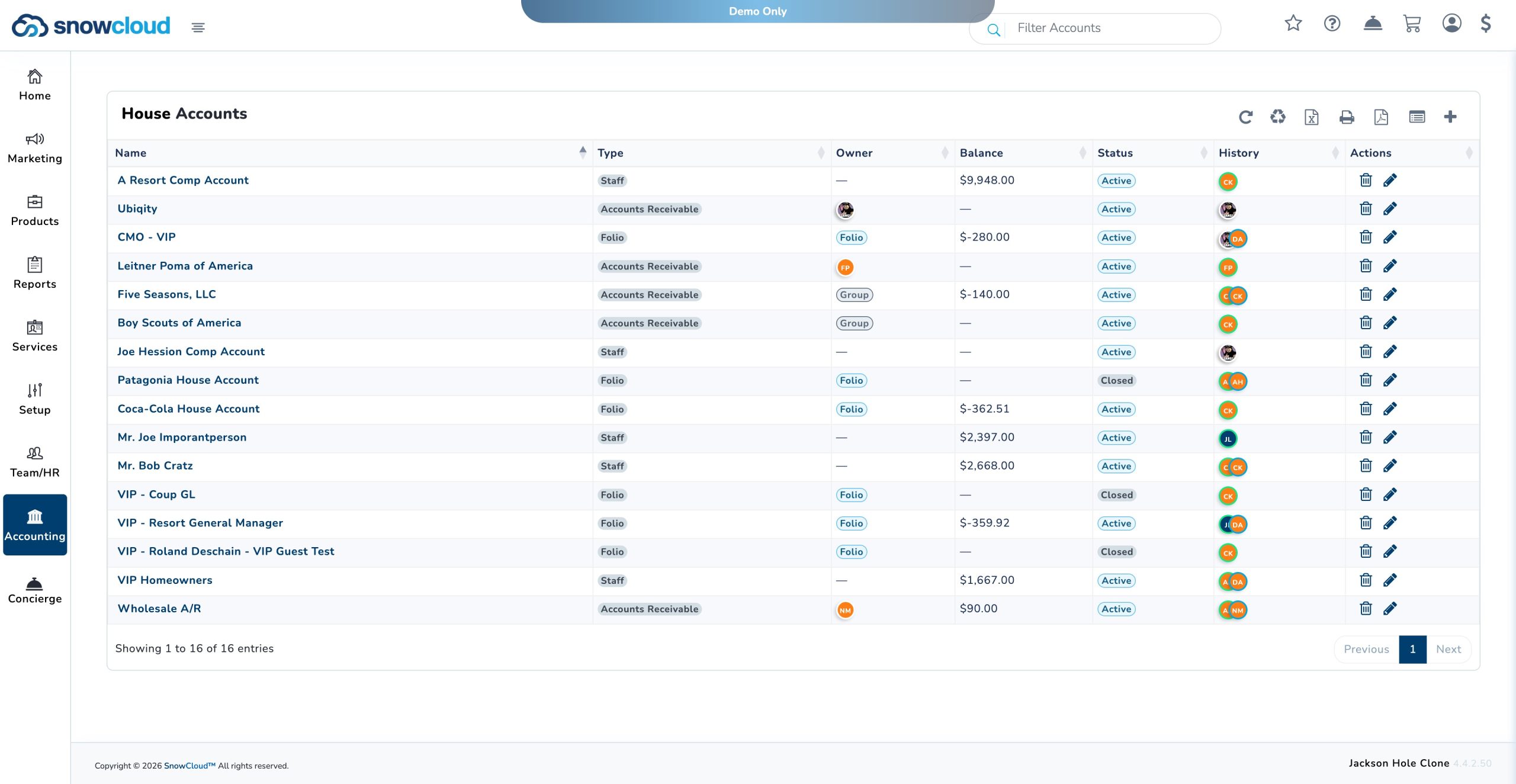
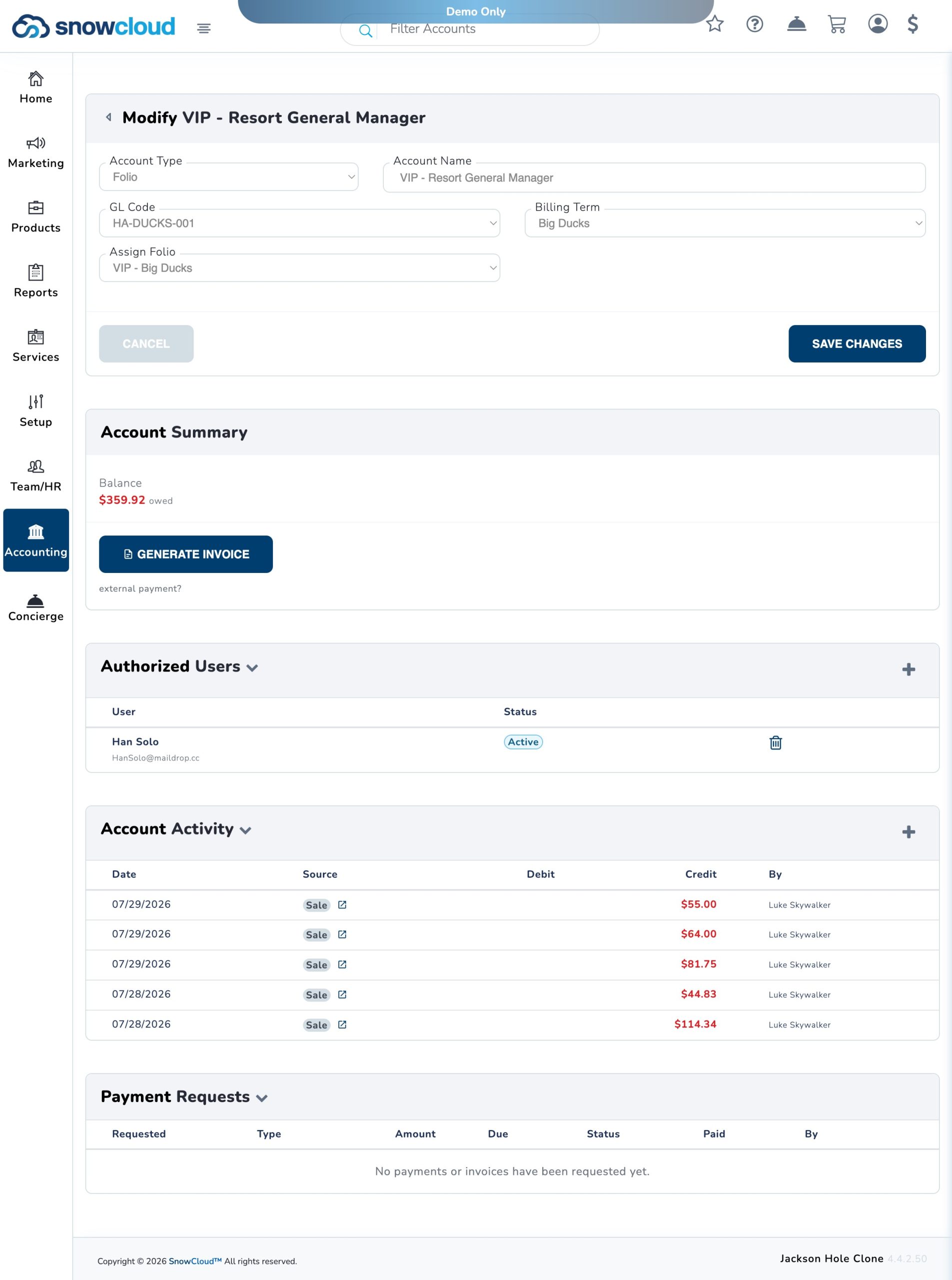
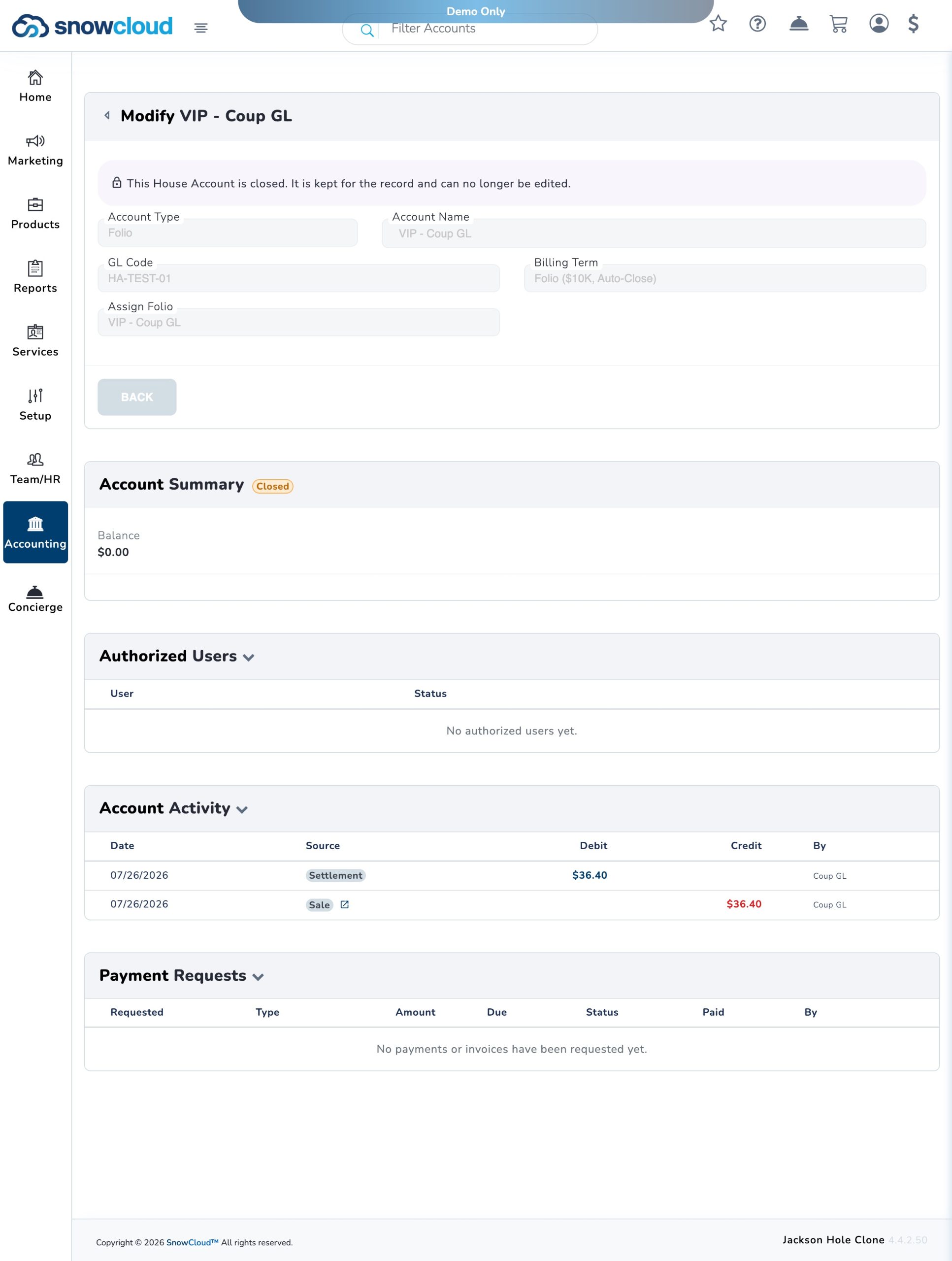
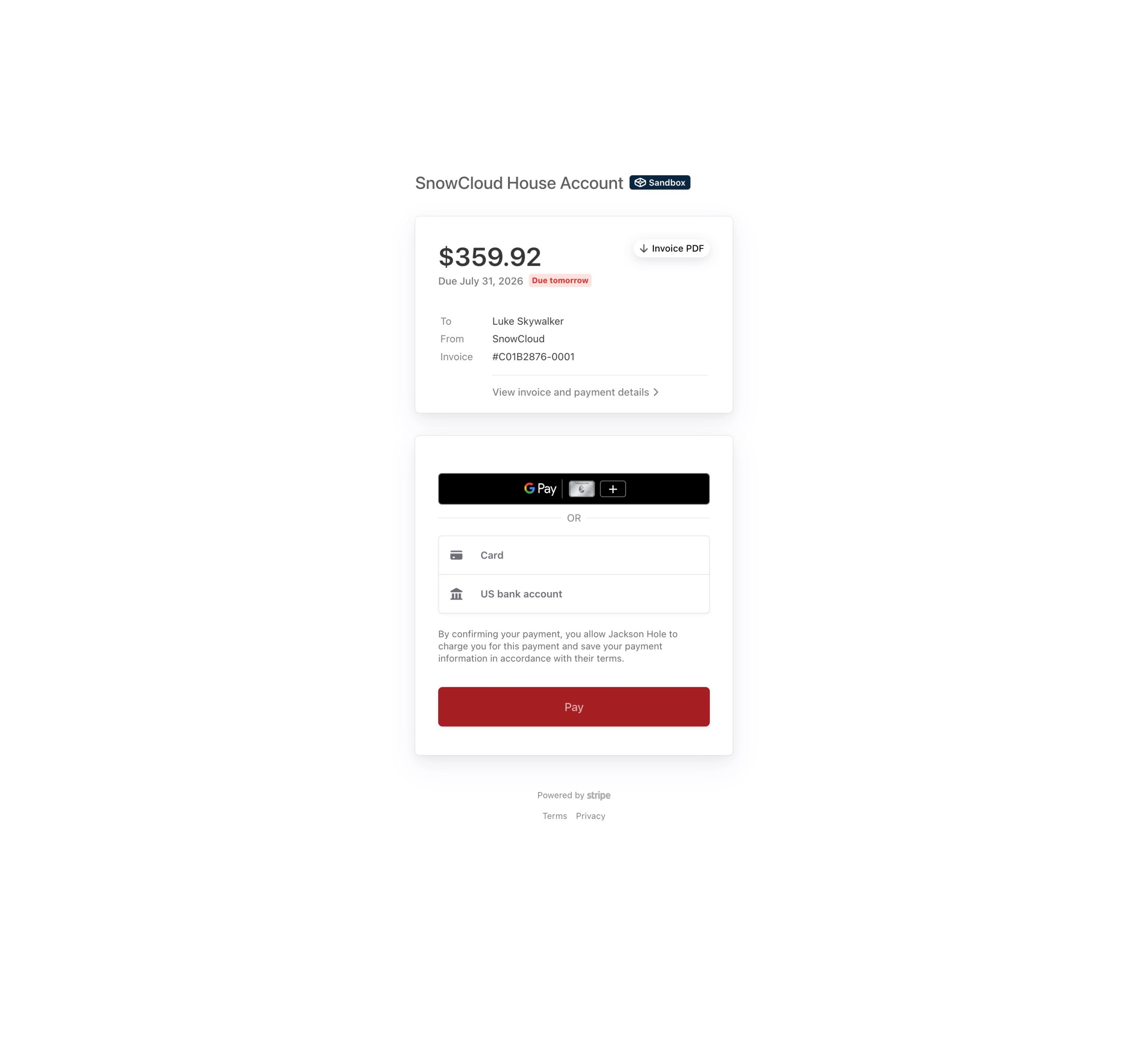
SnowCloud now supports House Accounts, providing resorts with a flexible way to authorize purchases, maintain account balances, and support invoicing or internal expense allocation.
House Accounts can be assigned to approved guests, groups, wholesalers, or staff and configured for several operational and accounting use cases:
- Staff COMP Accounts: Automatically post eligible purchases to a designated expense GL account without requiring payment from the guest.
- Wholesale Accounts: Allow wholesalers, travel partners, lodging partners, and other organizations to accrue an Accounts Receivable balance for periodic invoicing.
- Group Central Pay Accounts: Centralize group purchases under a master account, allowing balances to accrue and be settled according to established billing terms.
- VIP Guest Accounts: Provide approved VIP guests with purchasing privileges that can be invoiced and settled after the transaction.
House Accounts streamline complimentary spending, centralized group payments, wholesale billing, and deferred-payment workflows while improving balance tracking and Accounts Receivable management.
Improvements
- Retail Inventory Adjustment Tool: Adds the ability to perform inventory quantity on-hand adjustments for unaccounted decreases, improving stock management accuracy.
- Retail Vendor Creation: Creating new vendors in the retail module process is improved.
- Item Transfer UPC Search: Item transfers now support searching by UPC code for faster item lookup.
- Reports Overnight Refresh Timing: Nightly report refresh jobs now run 2 hours earlier, ensuring data is available by early morning Eastern time.
- Audience Builder Date Filter: The Audience Builder date filter now returns counts aligned with product launch dates.
- Improved API Response Codes: They now return more specific and informative error codes.
- Discount Entitlement Tracking: The system now tracks the claim GUID for discount entitlement usage, improving auditability.
- F&B Item Deletion: F&B items that reference a non-existent store can be deleted from the admin portal.
Reliability & Quality Improvements
- Staff KDS Permissions: Staff member permissions adjusted to allow viewing the Kitchen Display System when configured.
SnowCloud Operator App
The Operator App and Team App receive concierge mode enhancements, KDS reliability improvements, and POS stability updates.
New Features
- Concierge Inventory Management: Sales made through Concierge mode now deduct from shared inventory in real time. A clear warning is displayed when a sale would exceed available inventory, with visibility into remaining stock.
- Concierge Rental: Rentals sold through Concierge now properly deduct from online discrete inventory, keeping web shop availability in sync. Concierge mode also supports rental size selection and reservation for equipment rentals.
- S700 Card Reader Management: The concierge card reader assignment screen now displays whether a reader is in use, which user has it, and provides the ability to reassign. Busy status clears when a reader is released or a payment completes.
- F&B KDS Expo Groups: Kitchen Display System now supports expo station grouping for more organized order routing.
- F&B Meal Coursing: Full meal coursing support is now available, allowing kitchen staff to manage multi-course service with proper sequencing.
- F&B Assigned Seating: Table and seat assignment is now integrated into the F&B ordering flow and reflected on KDS tickets.
- S700 Open Tab Check Preview: Operators can now preview open tab checks on the S700 payment terminal before processing.
- Concierge Manual Card Entry: Manual card number entry is now available in Concierge mode as a fallback when tap/chip is unavailable.
- F&B Table Tab Editing: Orders already fired to the KDS can now have guest information edited or added on table tabs.
Improvements
- KDS Seat Ordering: Single-course, multi-seat orders now display ordered by seat number on the KDS for clarity.
- KDS Item Name Visibility: Item names on the KDS are no longer grayed out regardless of state, improving kitchen readability.
- KDS General Enhancements: Multiple usability improvements to KDS layout, ticket display, and interaction patterns.
- KDS Fire & Course Enhancements: Improved reliability and display of fired items within the coursing workflow.
- F&B Item Display Limit: The F&B shop item inventory display is no longer limited to 250 items.
- F&B Modifier Selection Enforcement: The “Add to Cart” button on F&B items with required modifiers is now disabled until all required selections are made.
- Interac Refund Hardening: Interac payment refund processing is more resilient to edge cases and network interruptions.
Reliability & Quality Improvements
- Gratuity UI Visibility: The “Add Gratuity” controls are now hidden on F&B shops that do not have a Tips GL account configured, preventing non-functional UI from appearing.
- F&B Item Fireability: All items mapped to a KDS and marked as fireable now fire correctly from the POS, regardless of configuration specifics.
- KDS Coursing/Seating Display: Fired items no longer appear as seating and coursing tickets on the KDS when those features are disabled for the location.
- Reservation Slot Refresh: Available reservation slot counts now update in real time without requiring a page refresh.
SnowCloud Platform & Infrastructure
Improvements
- Subscription Plan Reinstatement: Guests previously removed from subscription plans due to failed payment methods are automatically retried. Failed attempts now trigger email notifications prompting guests to update their payment method, with 3 retry attempts over 3 days.
- Arrival Calendar & Reminders: QR codes on arrival calendars now show, with reminder emails sending as configured.
- Product Availability: Products now display availability based on inventory and group/access product configuration.
- Mobile App Search: Searching recent sales in the mobile app is now case insensitive.
